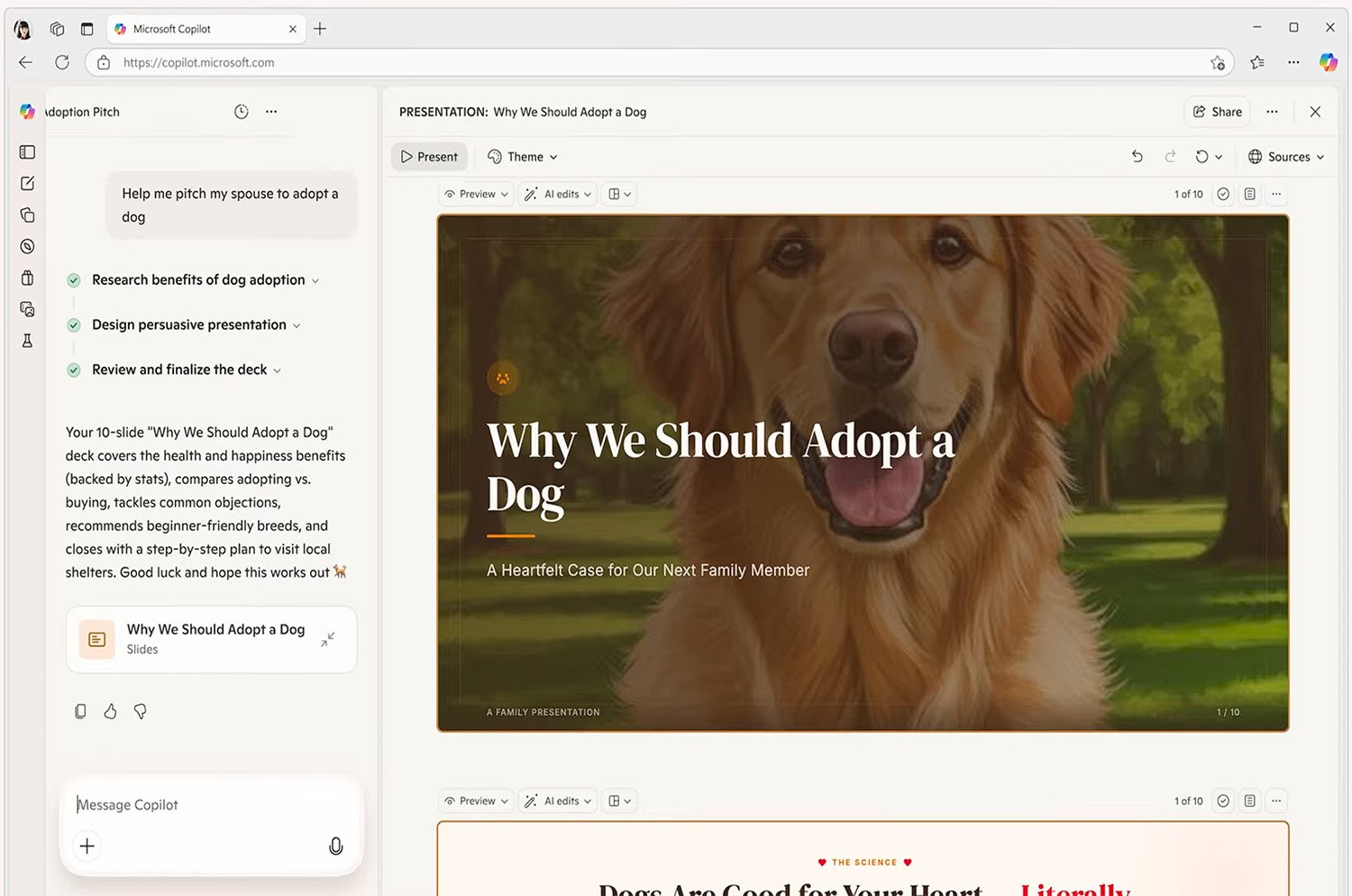
AI now provides knowledge and phrasing in a matter of seconds. But work involves more than just text: opening tools, transferring data, filling out forms, coordinating steps. This gap between the answer and the result is one of the reasons why there is so much talk about agents right now. Specifically: AI that does not just make suggestions, but handles end-to-end workflows.
Copilot Tasks brings this very transformation to a consumer feature. How does it work? You formulate a goal in natural language, and Copilot carries out the necessary steps in the background using its own computer and browser. It then provides a report on what happened. And that brings us to the key question: Will Copilot take the pilot’s seat, or will it remain a true copilot?
What are Copilot Tasks?
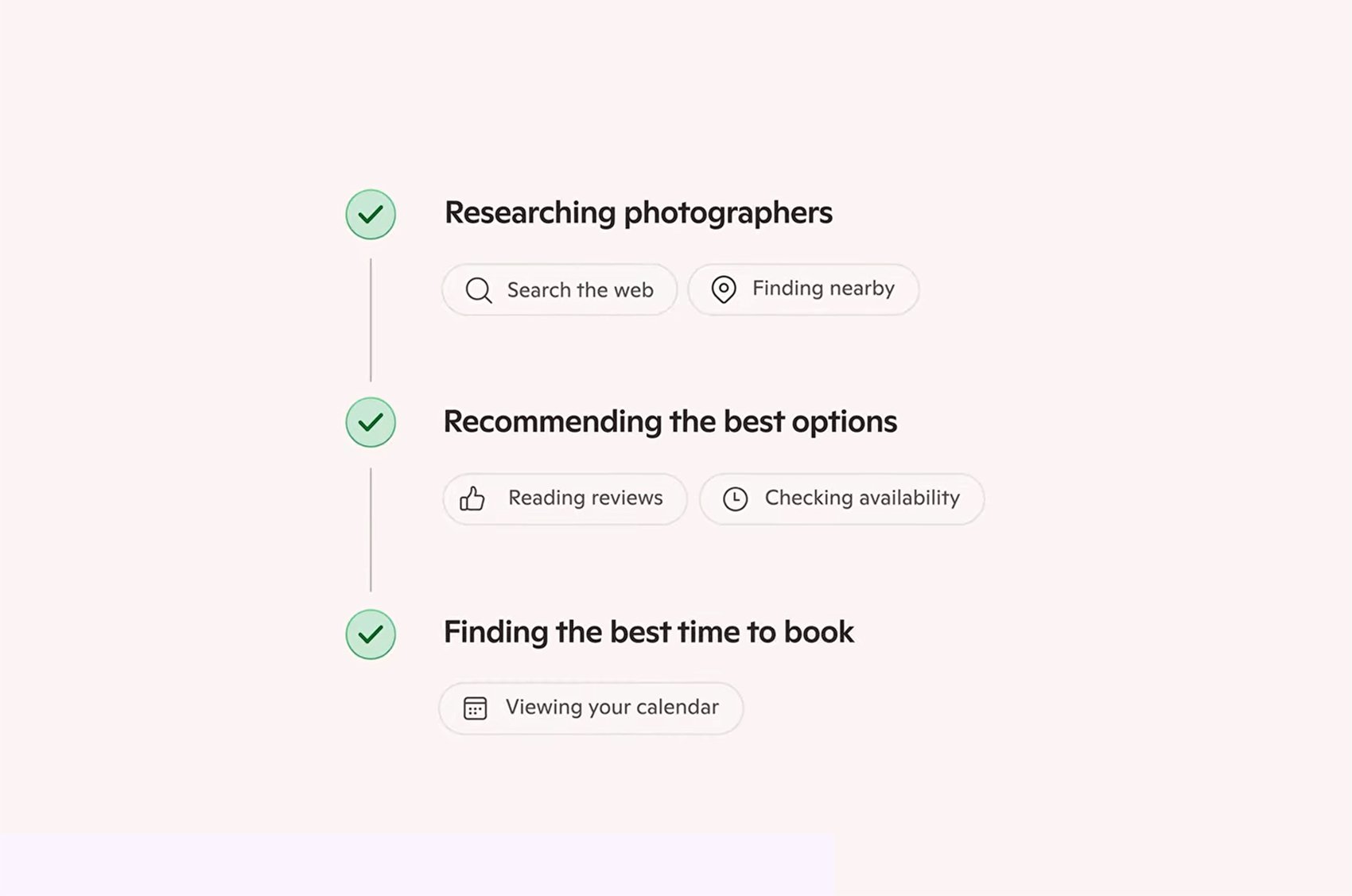
Microsoft describes Copilot Tasks as a to-do list that completes itself. The concept is simple:
- You describe what you need in natural language
- Copilot plans the steps
- It executes the work in the background (across apps and services)
- It provides a report of what has been completed
- Recurring or ongoing (e.g., every weekday or every Friday)
- Scheduled (at a specific time)
- One-time execution (one run, done)
What tasks can Microsoft Copilot handle?
Microsoft’s examples showcase a wide range of recurring routines, document creation, service and appointment scheduling, and everyday logistics. To put it in a nutshell: Copilot Tasks is designed to coordinate «tedious» multi-step workflows – especially the ones you tend to put off – without requiring you to oversee every single click. Here are a few specific examples:
Recurring tasks (set up and run)
-
Every evening: Highlight urgent emails, draft replies, and unsubscribe from promotional emails you never read
-
Every Friday: Follow up on apartment listings and book viewings
-
Monday morning: Create briefings for meetings/travel and analyze how your time is being used in relation to priorities
Document creation (turning input into finished products)
-
Transforming a syllabus into a complete learning plan, creating practice tests, and blocking out focus time before exams
-
Converting emails, attachments, or images into a polished slide deck with charts and talking points
-
Gathering suitable job offers and tailoring a resume or cover letter to each position
Shopping, services, and appointments (real-life coordination)
-
Planning a birthday party: finding/booking a location, sending invitations, collecting RSVPs
-
Finding top-rated plumbing/heating companies, comparing quotes, and booking the best one
-
Monitoring used car listings, contacting dealers, and booking a test drive
Logistics optimization
-
Book a ride to coincide with your flight – and adjust accordingly in case of delays
-
Monitor hotel prices and rebook when they drop
-
Organize subscriptions, identify unused ones and cancel them
Where can I find this Feature?
Release Status: If you want to get started right away, you will need some patience. Copilot Tasks is currently in Limited Research Preview. What does that mean?
- Availability: Rollout for selected users and organizations.
- Access: Usually via the Copilot app or the Copilot Labs area.
- Important for companies: IT administrators must explicitly enable «experimental agent functions» in the tenant settings. There is also an official Microsoft waitlist.
Control vs. Autonomy: Who is in Charge?
This is the crux of the agentic debate: autonomy vs. user control. Microsoft emphasizes that Tasks is not intended to be an «autopilot.» Copilot can take over certain tasks, but you retain control at crucial points. Microsoft outlines three key mechanisms for this:
- Consent for important actions (e.g., before money is spent or a message is sent on your behalf)
- The ability to review, pause, or cancel tasks at any time and
- A report that provides transparency regarding Copilot's actions
So, is Copilot at the wheel? In a sense, yes. It handles the operational «manual work» in the background. But Microsoft's intention is clear: Copilot remains a copilot. The final, irreversible steps should not occur without your consent. And you can view, pause, or stop any task at any time. Microsoft also emphasizes that Copilot Tasks is just the beginning. The company sees this feature as the start of a larger development: powerful, truly useful AI should gradually become available to significantly more people.
Want to learn more? Here's Microsoft's statement: Copilot Tasks: From Answers to Actions | Microsoft Copilot Blog
Want to connect? Talk about it?
What do you think about Microsoft Tasks? Are you excited about this new feature of your copilot? Let's discuss it.
%20-%20Teams%20Logo.png?width=576&height=182&name=Logo%20in%20standard%20arrangement%202%20(RGB)%20-%20Teams%20Logo.png)